Your meetings, remembered

The AI that sits beside you.

Paredra listens to your meetings, weaves your work and life into a private knowledge graph, and gives you live insights the moment you need them.

Web Mac iPhone Windows Android

No bot joins your calls. Meeting audio is transcribed on your Mac or iPhone; it never leaves the device. We never train models on your content.

What Paredra does

A second chair in every room.

Three abilities, working together. A whisperer in your meetings, a graph that remembers everything around them, and a chat for the questions that follow.

The Whisperer. In every meeting, beside you.

No bot joins the call. Paredra captures meeting audio straight from the app on your Mac, even two meetings at once, and transcribes it right there, on your machine. A structured note with the summary, actions, and decisions arrives the moment the meeting ends.

The Knowledge Graph. Your life, connected.

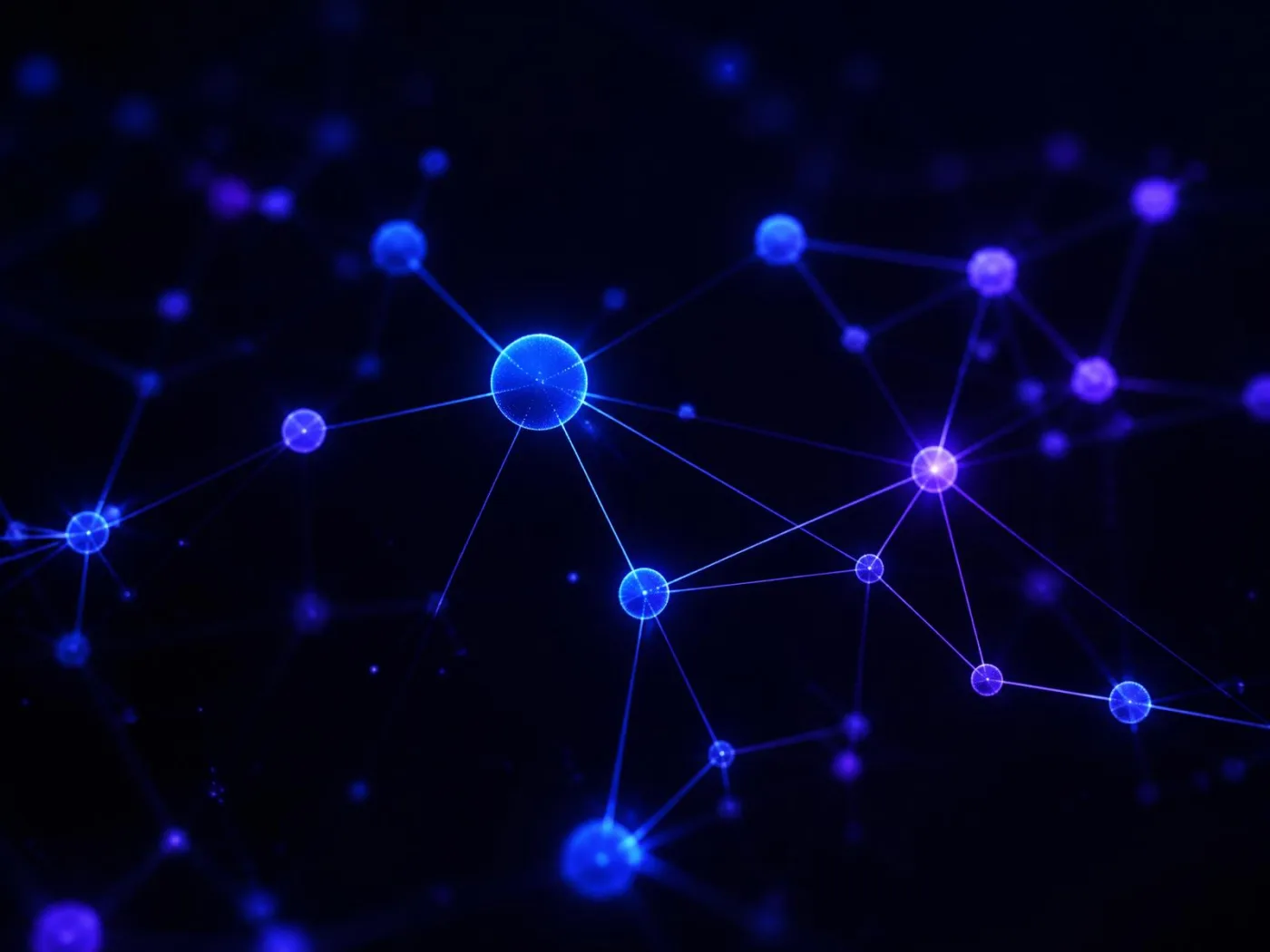
Every meeting, message, file, and note becomes a node. People, projects, and decisions are linked the way they actually are in your head, only durable and searchable. Paredra reasons across the graph to surface what relates to what.

The Chat. Your own history, in plain language.

Ask anything about your work and life and get an answer grounded in your graph, with citations back to the original meeting, file, or note.

Knowledge Graph

Memory that knows what connects to what.

Most tools store your stuff in folders and threads. Paredra stores it as a graph: people, projects, decisions, files, meetings, and the relationships between them.

  • Built quietly, from what you already do.

    Point Paredra at a folder and it reads what is already on your machine, including your Dropbox, OneDrive, and Drive sync folders. No account to connect, no tokens to hand over. Add your calendar and a few documents and the graph grows in the background.

  • Reasoning across, not just retrieval.

    The graph answers questions a search bar cannot: who decided what, why a project shifted, what changed since last quarter.

  • Live, not frozen.

    The graph updates as new meetings happen and new files arrive. The Whisperer feeds it in real time, so insights stay current.

The architecture

Five layers, one memory.

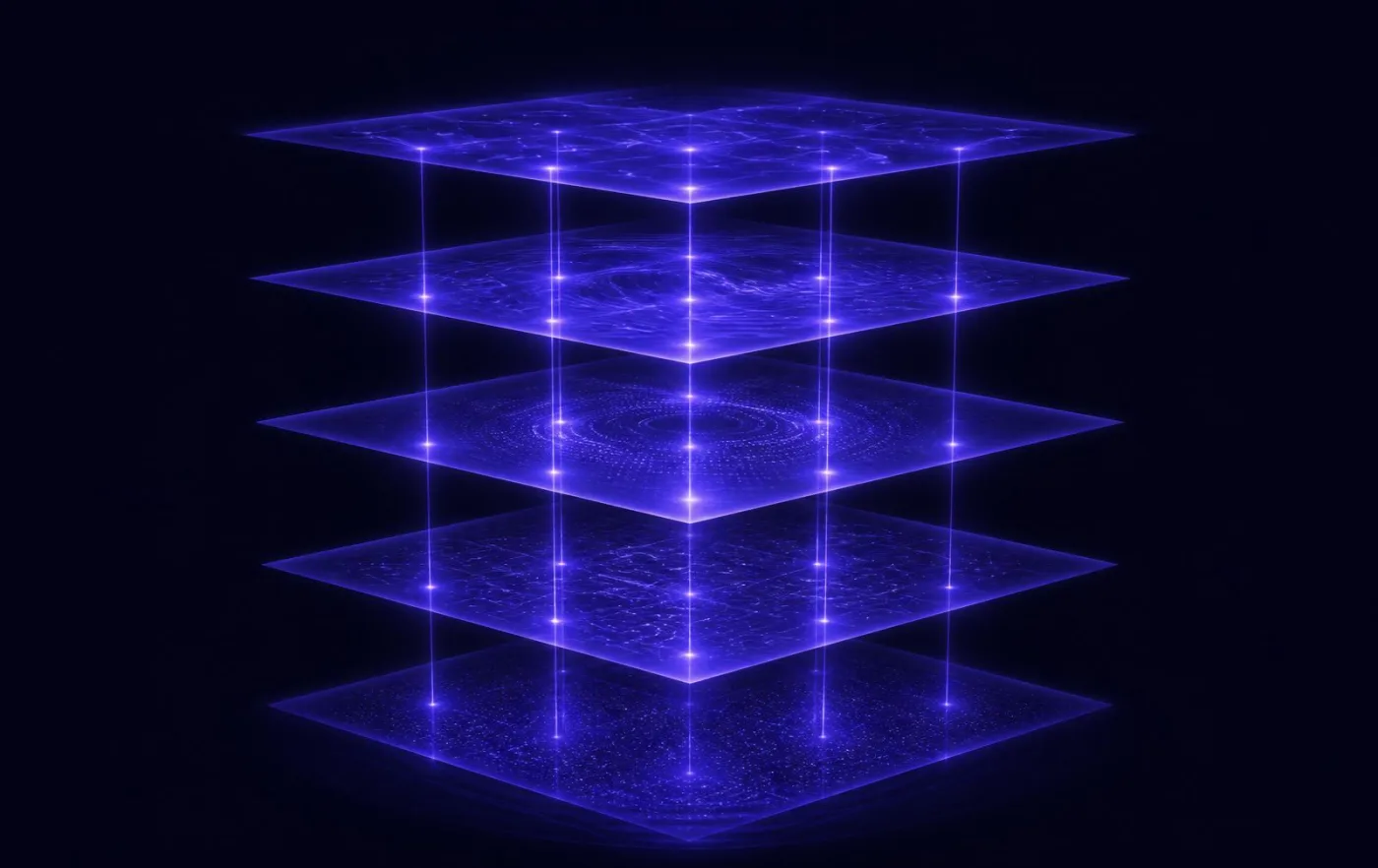
A pile of notes isn’t memory. Paredra organizes everything it captures into five connected layers, so it can tell what it observed, what exists, what happened, what you’re aiming for, and what should happen next.

  1. Perception what was noticed

    Every mention, claim, and commitment heard in a meeting or found in a document lands here first, with its source attached. Nothing enters your memory without a receipt.

  2. World what exists

    People, companies, projects, accounts. Observations are reconciled into one clean picture of each, not a duplicate for every document that mentions them.

  3. Memory what happened

    Meetings, conversations, decisions, and milestones, each one timestamped and anchored to the actual moment: the audio, the slide, the page where it happened.

  4. Intention what you’re aiming for

    The layer built for goals, commitments, preferences, and constraints. It holds the part of your world most tools throw away.

  5. Execution what happens next

    Tasks, reminders, and follow-ups, connected upward to the intention they serve and the evidence they came from.

Every layer keeps its provenance: where a fact came from, how confident Paredra is, and how often it’s been confirmed. Ask why, and it shows you the source.

Multilingual by design

One brain. Many languages, mixed freely.

Modern embeddings and language models do not care which language a sentence was written in. Paredra inherits that, and turns it into a feature.

Pick the language for the app and the web.

The interface, the website, the apps, and your meeting summaries are available in English, Spanish (Argentina and US), Italian, and Brazilian Portuguese. More languages are on the way. Switch any time from your account settings.

Mix languages in your knowledge.

Connect a calendar in English, a folder of notes in Spanish, a contract in Portuguese. Paredra ingests them as they are, no translation step, no normalization. The graph holds them all side by side.

Ask in any language. Get answers from any source.

Ask in Spanish about an English meeting and the answer comes back in Spanish, with citations to the original. The Whisperer follows the same rule: it speaks the language you set, even when the meeting is in another.

The product

See it in action.

These are real product screens, the same pixels you get on day one.

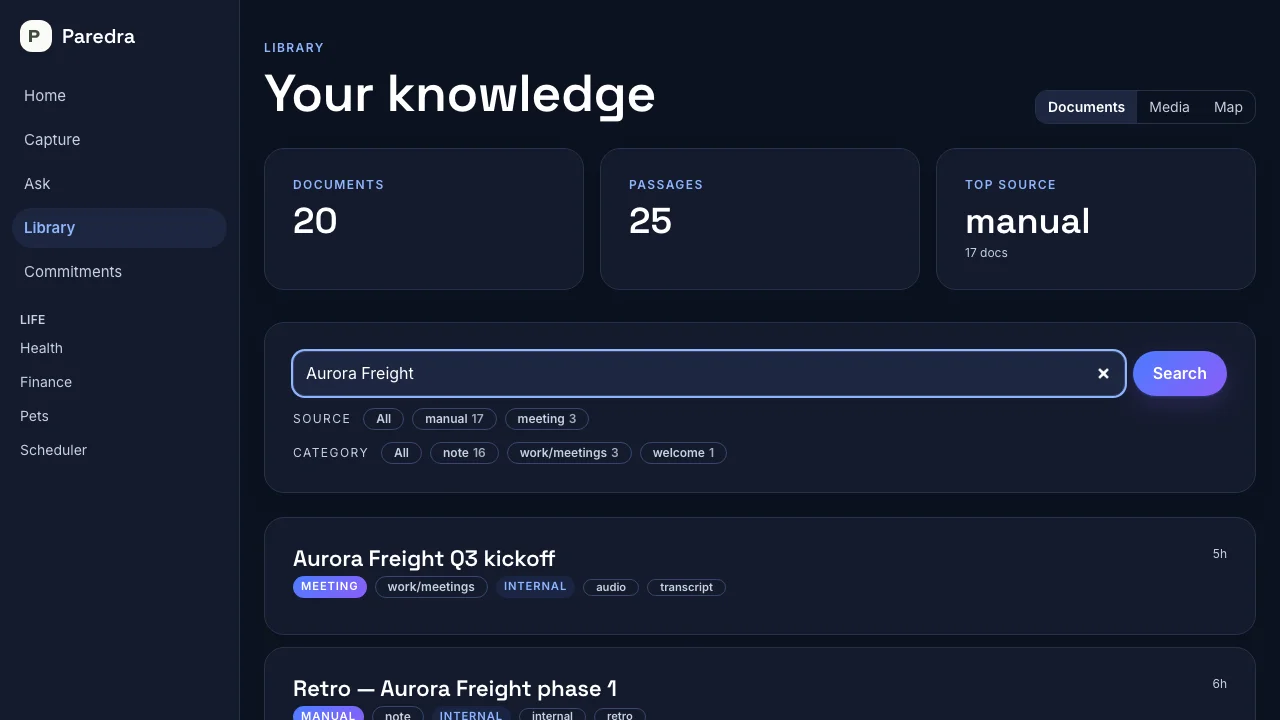
The Paredra library: searching your knowledge and getting sources back
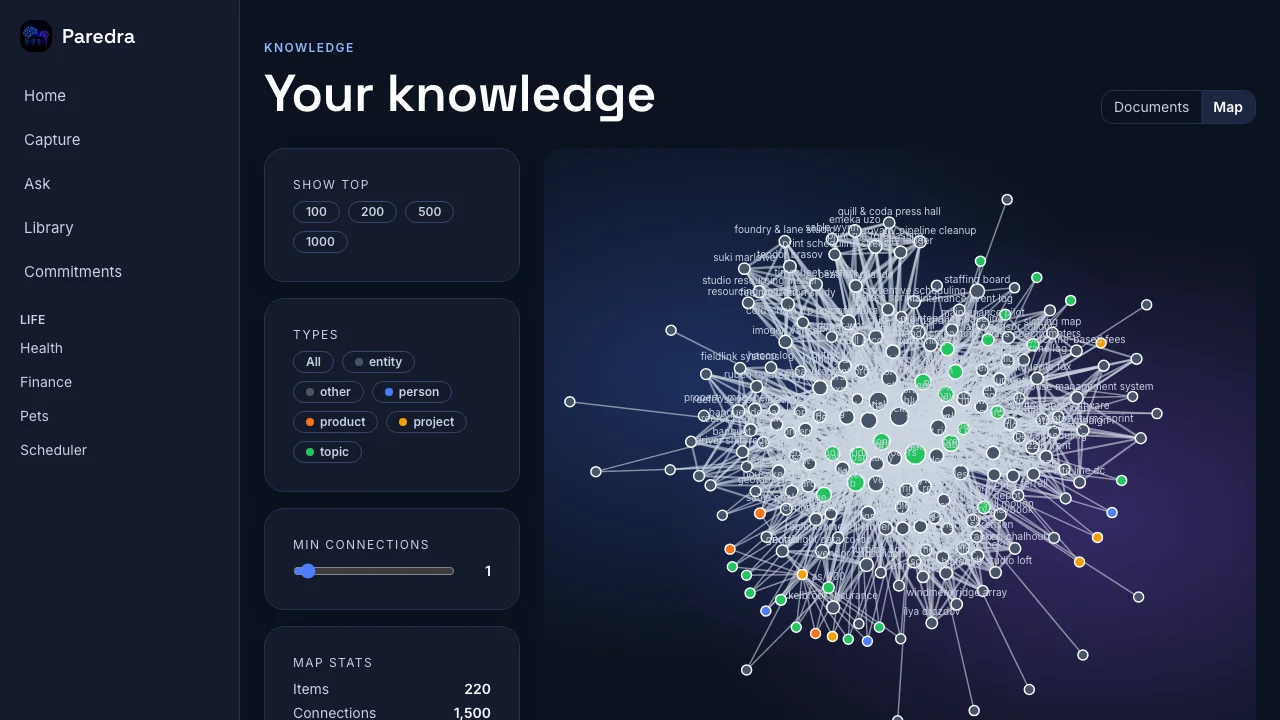
The knowledge map: a live graph of people, projects, and topics
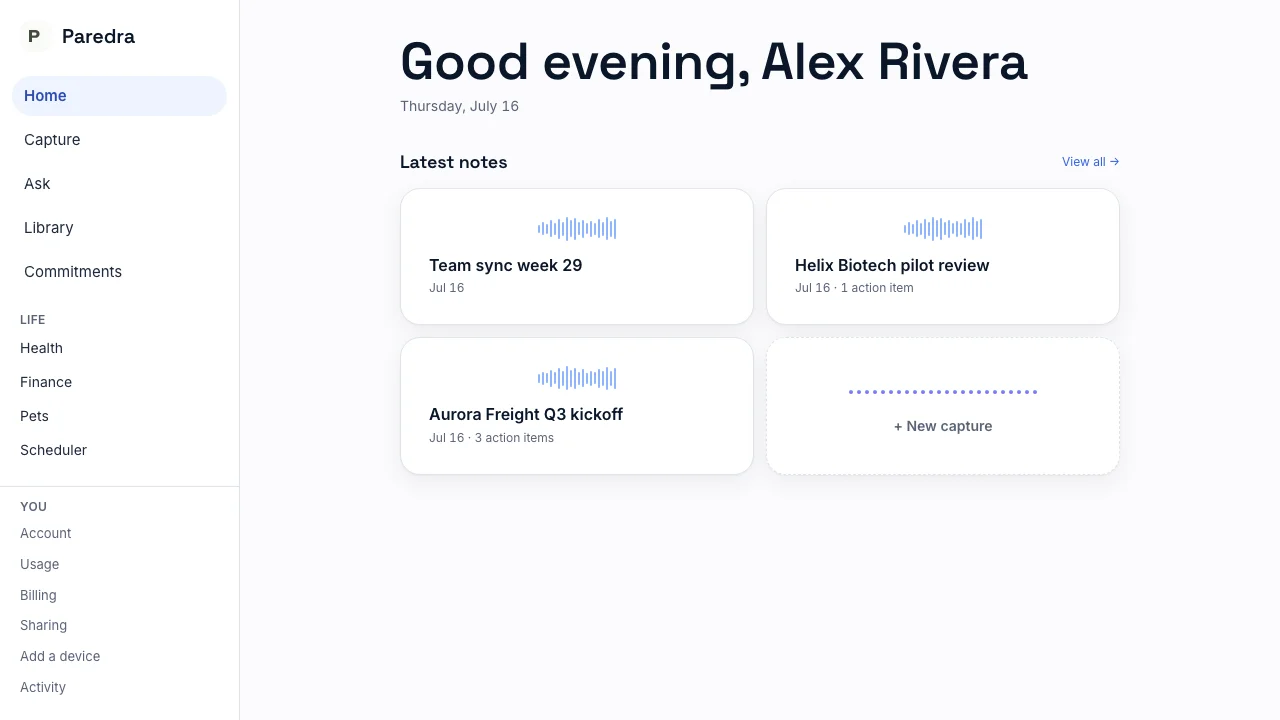
Home: your latest meeting notes, summarized and ready

Get Paredra

Every platform. One memory.

Your knowledge graph follows you across every device you own. Pick yours.

Or download directly for Mac or Windows.

One account signs in everywhere. Capture on your Mac or Windows machine, review on your phone, ask from anywhere.

Pricing

Start free. Stay free, or go deeper.

Every new account gets 14 days of full Pro, no card. When it ends, Free keeps working forever.

Free

$0 / mo

A real memory, free forever.

  • Unlimited capture on your devices
  • 3 meeting whispers / month
  • A few premium, deep-analysis meetings each month
  • 200 chat turns / month
  • 30-day memory window
  • 1 connector · 1 GB knowledge
Start free

TeamComing soon

$49 / seat / mo

A shared brain for small teams.

Everything in Pro plus group memory, group chat, and an admin console. Not open yet. We’ll announce it here first.

See full comparison

Questions

Things people ask first.

What does “Paredra” mean?

Paredra is Ancient Greek for “one who sits beside.” In Plato’s Laws it means an assessor, a second-chair counsel. The product is named for that role: an AI that sits beside you, grounded in your own data, instead of a generic assistant trained on the public internet.

How does the Whisperer work?

There is no bot: nothing joins the call or announces itself. Paredra captures the meeting audio directly from the meeting app on your Mac and transcribes it on your machine; the audio never leaves it. When the call ends you get a clean structured note with the summary, decisions, and action items, each point linked back to the moment in the recording where it was said.

What is the knowledge graph?

It is a live map of your work and life. People, projects, files, decisions, and the meetings that touch them, linked the way they actually relate. The graph is what lets Paredra answer questions across sources rather than searching one place at a time, and it is what makes the Whisperer feel like it already knows the room.

What kinds of data can I connect?

Start with what is already on your machine: any local folder, including your Dropbox, OneDrive, and Drive sync folders, plus Apple Photos. None of that needs an account connection. Your meeting notes also sync outward into your Obsidian vault as plain Markdown: files you own, readable by anything. For cloud-side sync, connect Google Calendar or pick exactly which files Paredra sees with the Google Drive picker. Cloud connectors for OneDrive, Dropbox, and Box are coming soon, and every connector can be turned off at any time.

How is this different from a general chatbot or a workspace AI?

General chatbots do not know your work or your life. They only remember within a single conversation. Workspace AIs know one app: the documents inside their own walls. Paredra is the layer above. It listens to the meetings, reads across the tools you already use, and weaves it all into one knowledge graph. Every answer comes back grounded in your sources, with citations you can open.

Can I export or delete everything?

Yes. Both are your rights: a machine-readable export of your data and chat history, and full account deletion. You can delete your account directly in the iOS app. For a data export, or to delete your account without the iOS app, write to privacy@paredra.ai and we will complete your request within the legally required timeframe.

Put Paredra beside you.

Connect a calendar, drop a few documents, and have a Whisperer in your next meeting.

Try Paredra free